Brat Image for TikTok Story — How to Create the Perfect Brat Aesthetic Story
Master the vertical format with our guide on creating viral Brat aesthetic images specifically for TikTok Stories and Reels.
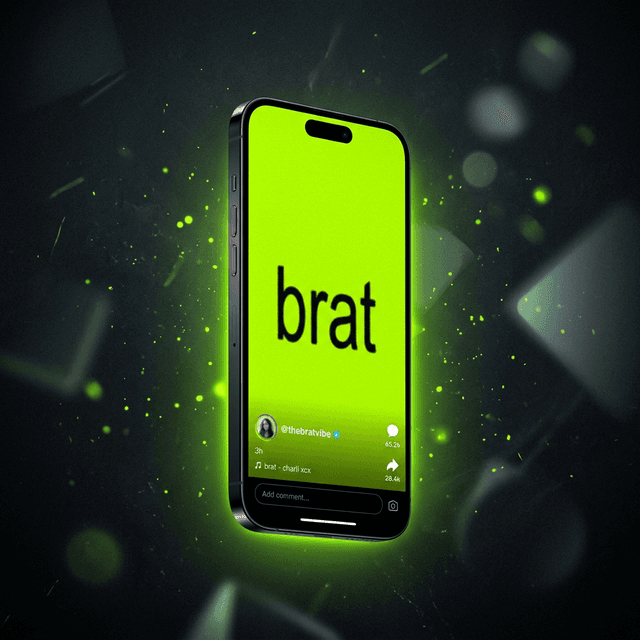
Vertical Format is Everything (9:16 Ratio)
If you've been wanting to create a strong brat image for a tiktok story, you must think in vertical format first. TikTok Stories use a 9:16 ratio, which means your design should be tall, not square.
Many people make the mistake of using a square 1:1 image, which leaves big empty gaps at the top and bottom of the screen. To truly capture the brat aesthetic, your image should fill the entire screen, making your message bold and impossible to miss.
Ready to go viral with your own Brat style on TikTok?
Stop scrolling and start creating. Join the trend and generate your own high-quality vertical Brat images for TikTok in seconds.
Start Generating for TikTok NowNo sign-up required • 100% Free • 9:16 Vertical Export
Key Design Elements for TikTok
Mobile Optimized
Designed specifically for the vertical 9:16 aspect ratio of mobile phones.
High Contrast
Vibrant neon green backgrounds that pop against TikTok's interface.
Video Ready
Perfect for use as backgrounds in Green Screen effects or video overlays.
Authentic Fonts
The characteristic low-res, slightly blurred Arial-style typography.
Mind the TikTok Safe Zones
One of the most important parts of a TikTok Story is avoiding the “dead zones.” TikTok places your profile icon, sharing buttons, and reply box over your story. If you place your Brat text too low or too high, it will be covered.
Safe Zone Checklist:
- Top 15% Buffer: Keep the top clear for the progress bar and your profile name.
- Bottom 25% Buffer: Avoid the bottom for the reply box and caption area.
- Center Focus: Always place your main text in the middle third of the screen for maximum impact.
How to Create Your Story Step-by-Step
Open Brat-Gen
Head to Brat Generator on your mobile browser.
Choose Story Size
Select the 9:16 (Story) aspect ratio option.
Type Your Thought
Keep it short, lowercase, and full of “brat” energy.
Upload to TikTok
Download the PNG and upload it directly to your Stories or as a background for your Reel.
FAQs
Why are my TikTok stories blurry?
TikTok compresses images. To avoid this, use a high-resolution generator like Brat-Gen that exports at 1080x1920px for crystal-clear results.
Can I use Brat images for TikTok Reels?
Absolutely! Many creators use a static Brat image as the background for their Reels while they speak or use the search-bar trend.
What are safe zones for TikTok stories?
Safe zones are areas that aren't covered by TikTok's UI (buttons, names, etc.). Always keep your text in the center 60% of the screen.
Does the Brat aesthetic still work in 2026?
Yes, the minimalist, high-contrast look has become a staple of internet culture, evolving into a timeless way to share quick thoughts.
Ready to create your brat image?
Stop scrolling and start creating. Join the trend and generate your own high-quality Brat aesthetic images in seconds.
Open Brat Generator